


hkBattousai
Nihongo Learner
- 19 Oct 2006
- 160
- 5
I had uploaded this book in my webspace, but yesterday I realized that I have long deleted it. I will soon upload it again, and it will be available in my forum signture. I am going to inform you when I upload it.
I want to use "Japanese boxed-input" like in this link:
IME handwriting recognition - IME Pad and boxed input
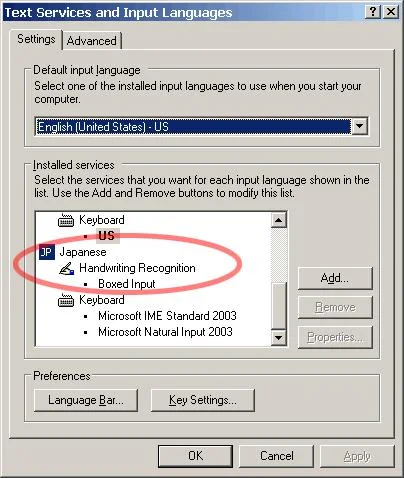
There's no "Handwriting Recognization" in the drop-down menu, when click the "Add..." button in this window.
It looks like this in my computer:
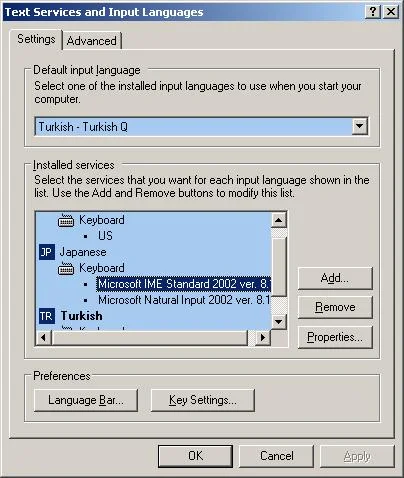
I have language bar, and I can switch to Japanese in it. But I can find a way to pop up that IME keyboard. Can anyone help me please?The IME Pad in the language bar that comes with the Windows operation system allows you to draw kanji characters, and the computer will give a list of possible kanji candidates. You can use online dictionaries, once you identify the character in this way.
I want to use "Japanese boxed-input" like in this link:
IME handwriting recognition - IME Pad and boxed input
There's no "Handwriting Recognization" in the drop-down menu, when click the "Add..." button in this window.
It looks like this in my computer:
Last edited:

 Yay! You Rock! Thanks a Bunch!!
  . Now I have to browse my DVD archeive and find it...





