


- 14 Mar 2002
- 21,054
- 18,910
Conversations, aka "Private Conversations" (PCs), are private threads between two or more members. The member initiating a conversation can decide who to contact and how many other members to include. The number of PCs and other members to include depends on your User Group.
Please note that there is no separate Inbox and Outbox. All messages relating to one specific conversation are in a single thread, just like the threads in the forum.
How to start Private Conversations?
 Please see
 Please note that there is no separate Inbox and Outbox. All messages relating to one specific conversation are in a single thread, just like the threads in the forum.
How to start Private Conversations?
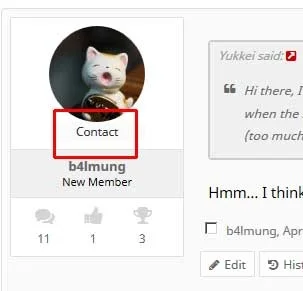
- In thread view, click the "Contact" link under a member's avatar. This will open a small dialogue field that lets you start a private thread.
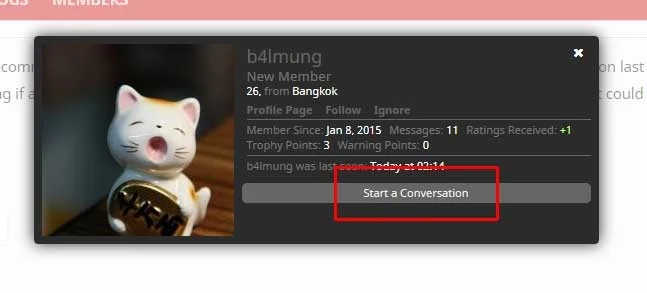
- In any other view, clicking a member's User Name will open their Member Card (see below). Click the "Start a Conversation" link to initiate a PC.
Last edited:


