


- 14 Mar 2002
- 21,053
- 18,906
As of XF 2.3.x, our members can log in "passwordless" with a Passkey!
They are highly secure, easy to set up, and easy to use.
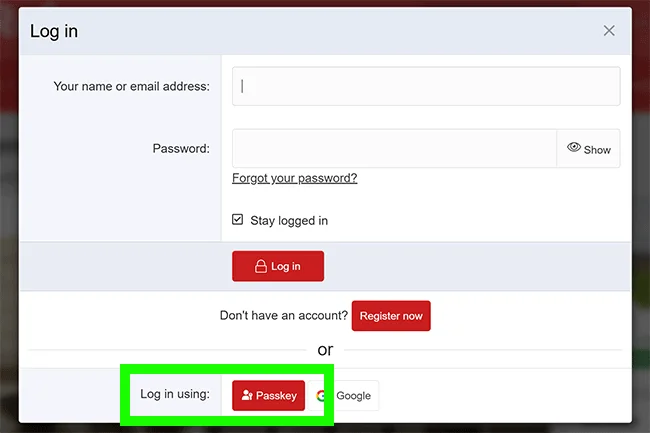
It's that easy! From that point forward, you can use your passkey to log in, and any of your current or future passkeys can be used as two-factor authentication—no need to enter your password. There is no need even to enter your username! Just tap "Log in using Passkey" and follow your device's prompts, and you'll be logged in!
Xenforo has some videos on passkeys here.
What is a passkey?
Passkeys are a secure replacement for passwords and/or second-factor authentication. They take many forms, from physical devices (e.g. Yubikeys) to biometric authentication built into your phone or computer. Some types of passkeys can even be synced across all of your devices, for example I can setup a passkey using my fingerprint on my MacBook Pro which is then synchronised with my iPhone and authenticated using FaceID. You may also have a password manager, such as Bitwarden or Proton Pass, which synchronises your passkeys across different browsers and devices.They are highly secure, easy to set up, and easy to use.
Adding a passkey in XF 2.3
Passkeys can be managed for your account under Account > Password and security. To initiate the process, you click "Add passkey," which, in supported browsers, invokes an interface usually served by your browser, device, or password manager.It's that easy! From that point forward, you can use your passkey to log in, and any of your current or future passkeys can be used as two-factor authentication—no need to enter your password. There is no need even to enter your username! Just tap "Log in using Passkey" and follow your device's prompts, and you'll be logged in!
Xenforo has some videos on passkeys here.